
How to Choose Thermal Paper and What Is It Used For?

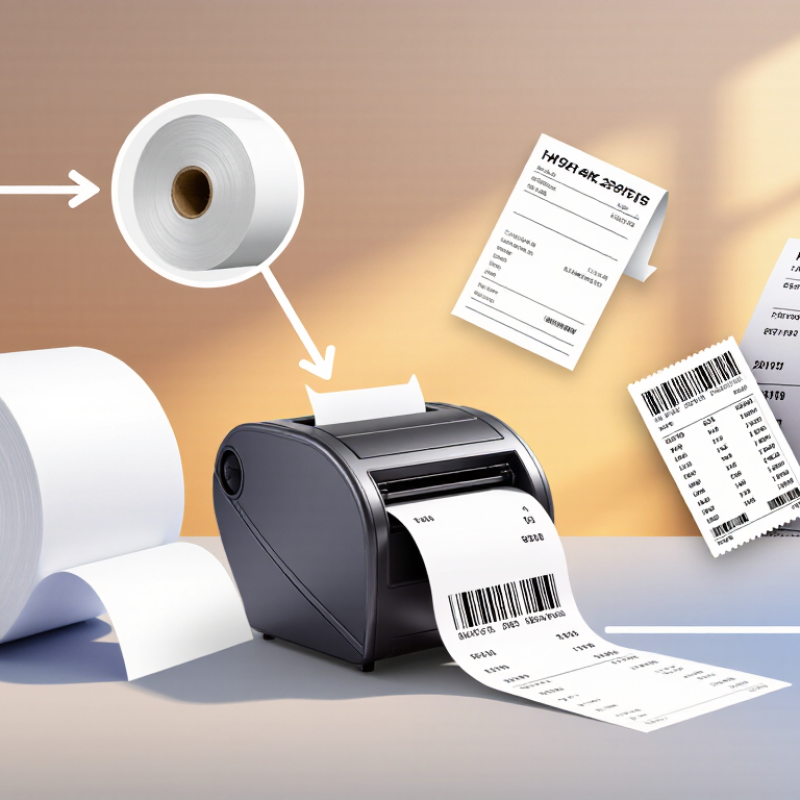
Receipts, queue tickets, shipping labels, and some medical records often rely on thermal paper. People asking “what is thermal paper” are usually looking at a paper roll that forms an image when heat reacts with its coated surface. No ink cartridge is needed. A compact printer warms selected areas, creating the dark text or barcode you see at checkout. It is a simple process, but the paper and printer must match.

Small details matter. Roll width, diameter, and core size affect whether the paper fits correctly. Coating quality influences print clarity, while heat, sunlight, friction, and storage conditions can affect how long an image remains readable. A receipt kept in a hot car may fade sooner than one stored in a cool, dry place. That is worth remembering.

Choosing thermal paper starts with the job. A point-of-sale receipt may need clear, economical printing, while a shipping label may require stronger image durability and reliable barcode scanning. Check the printer manufacturer’s specifications before ordering, then consider roll dimensions, required image life, and any handling needs. Terms such as “premium” can be vague; measurable specifications are more useful. Also confirm whether the device uses direct thermal paper or thermal-transfer media, which requires a ribbon. The best choice is not automatically the most expensive. It is the paper that fits the equipment and performs reliably in its actual setting. There are trade-offs, and no roll suits every use.
How to Choose Thermal Paper and What Is It Used For?

How Direct-Thermal Paper Forms Images: Heat Activates Its Leuco-Dye Coating

Direct-thermal paper carries a reactive coating, not a hidden ink supply. It contains leuco dye, a colorless compound, alongside a developer and heat-sensitive additives. When a printhead’s tiny elements heat selected spots, the dye and developer react, creating dark marks. The image forms exactly where heat touches. No ink cartridge is needed. A thin protective topcoat can resist moisture, oils, and abrasion, though protection varies by grade. Coating chemistry also affects sensitivity: highly sensitive stock prints with less heat, but may react more readily to warm storage or sunlight.

That trade-off matters at checkout. Grand View Research estimated the global thermal paper market at US$4.3 billion in 2023, reflecting broad use in receipts, labels, and tickets. The figure is market context, not a measure of print quality. For receipts handled briefly, prioritize clean contrast and suitable grammage; for labels exposed to friction or heat, check image-retention and resistance data. Compare supplier test results under realistic storage conditions. A bright sample can still fade. One detail is easy to miss: paper that prints sharply in a cool shop may darken in a hot delivery van. Coating recipes differ, so test the actual paper, printer settings, and environment together.

How to Choose Thermal Paper and What Is It Used For?

Common nominal widths for thermal paper rolls, shown in millimeters.

Direct-thermal paper has a heat-sensitive coating containing leuco dye. A printer’s heated printhead activates the coating to form an image, so no ink ribbon is needed. Choose a roll width that fits the printer and application; actual available sizes vary.

Where It Is Used: POS Receipts, Shipping Labels, Tickets, and Medical Strips

Thermal paper is used wherever a printer needs to create an image quickly without ink or toner. At a busy checkout, POS receipts print in seconds and make little noise. The paper must feed smoothly, resist smudging during handling, and remain readable long enough for returns or bookkeeping. A receipt left beside a hot counter or in direct sunlight may fade sooner than expected. Small detail, real consequence.

Shipping labels need a different balance. Their coating should produce sharp barcodes that scanners can read, while the label stock must stay attached through sorting and delivery. For outdoor routes, moisture and friction matter. A label that looks clear indoors may not survive a wet doorstep. Tickets also rely on legible print, but buyers may keep them in pockets, so resistance to rubbing is worth considering.

Medical strips, such as those used in diagnostic devices, require paper matched to the instrument and its printing process. Compatibility and consistent print quality matter more than choosing the thickest roll. When selecting paper, check roll size, printer specifications, image durability, and storage conditions. Direct thermal paper reacts to heat, so cool, dry storage helps protect it. There is no perfect roll for every job. Sometimes the practical choice still needs testing in the actual printer.

Compare Paper and Printer Specs: 58/80 mm Rolls and 203 dpi Are Common

Thermal paper darkens when its coated surface reacts to heat, so no ink cartridge is needed. For receipt printers, 58 mm and 80 mm rolls are common, but width alone is not enough. Check the printer’s supported roll width, maximum roll diameter, and core size before ordering. A roll that is too wide may not feed; one with the wrong core can wobble or jam. Small details matter.

A 203 dpi print head is common and usually produces readable receipts, simple logos, and standard barcodes. It describes dot density, not paper quality. If tiny text or dense graphics matter, confirm the printer’s resolution and test a sample before buying in bulk. Also consider coating sensitivity and storage: heat, sunlight, and friction can fade receipts.

Tips: Measure an existing roll, including its width and outer diameter. Check the core, then print a test receipt. It is easy to focus on width and overlook diameter; that small oversight can cost time.

How to Choose Thermal Paper and What Is It Used For? — Compare Paper and Printer Specs: 58/80 mm Rolls and 203 dpi Are Common
Paper or Printer Feature Common Specification Typical Use What to Check Before Buying
58 mm thermal roll Paper is commonly about 57–58 mm wide. A compatible printer’s printable width is narrower than the roll. Compact receipt printers, mobile POS devices, kiosks, and small transaction slips. Confirm the printer’s supported roll width, maximum roll diameter, and core size. Do not assume every 58 mm printer accepts the same roll diameter.
80 mm thermal roll Paper is commonly about 79.5–80 mm wide. Printable width depends on the printer model. Full-size POS receipts, order tickets, and receipts with more item or tax details. Check the printer’s maximum paper width and roll diameter, along with the specified core dimensions.
Direct thermal paper Heat-sensitive coating darkens where the printhead applies heat; no ink or toner ribbon is normally required. Receipts, queue tickets, labels, and other short-term printed records. Choose a grade suited to expected storage and handling. Heat, sunlight, friction, oils, and some chemicals can affect image quality over time.
Paper basis weight Many receipt rolls are in roughly the 48–80 g/m² range, though available grades vary. Lighter stock can suit routine receipts; heavier stock may feel sturdier. Follow the printer’s supported paper range. Basis weight alone does not determine print quality or durability.
Printer resolution: 203 dpi A common thermal-printer resolution, equivalent to approximately 8 dots per millimetre. Standard receipts, barcodes, and everyday text and graphics. Match the resolution to the printer and software settings. A 203 dpi printer cannot produce the finer detail of a higher-resolution model.
Printer resolution: 300 dpi A higher-resolution option, approximately 12 dots per millimetre. Small text, compact labels, and graphics or codes that need finer detail. Check that the printer, driver, and print layout support the required resolution; higher resolution does not by itself guarantee barcode readability.
Roll diameter and length Roll capacity depends on roll diameter, paper thickness, and core diameter; there is no single standard length for a given width. Longer rolls can reduce how often a printer needs reloading. Use the printer’s maximum roll-diameter and core-size limits. Verify the stated roll length rather than estimating it from width alone.
Print-side orientation Thermal coating is on one side of the paper; roll winding determines whether that side faces inward or outward. All direct thermal printing applications. Confirm that the thermal-coated side faces the printhead. A simple check is to scratch the paper gently with a fingernail; the coated side usually darkens.
Storage and image life Image life varies with paper grade and exposure conditions; heat, direct light, and contact with certain materials can accelerate fading or discoloration. Short-term receipts and records stored under suitable conditions. For long-term archives or regulated records, check the paper supplier’s documented image-life guidance and consider a suitable alternative recordkeeping method.
Quick selection rule Match paper width, roll diameter, core size, and print technology to the printer; 58 mm and 80 mm rolls and 203 dpi printers are common. Choosing compatible paper for a specific receipt or label workflow. Check the printer manual or specification sheet before ordering. Printer compatibility takes priority over a roll’s general size description.

Choose for Printer Fit and Chemistry: EU REACH Restricts BPA Above 0.02% by Weight

Choosing thermal paper starts with the printer, not the price. Check the roll width, diameter, core size, and whether the device uses direct thermal printing. A roll may fit loosely yet feed unevenly. That detail matters. For clear output, match the paper’s sensitivity to the printer and the expected storage period. Direct thermal paper darkens with heat, light, and friction, so it works well for receipts or tickets used soon. It is less suitable for records that must stay readable for years.

Chemistry matters too. Under EU REACH, thermal paper containing BPA at 0.02% or more by weight has been restricted from the EU market since January 2020. Ask for current supplier declarations and test information, including the measured concentration and the paper covered. “BPA-free” describes one substance, not the full chemical profile. Some alternatives use other developers, so check what replaces BPA rather than relying on a label alone. I would also compare print durability on the actual printer; paper that meets a chemical specification can still fade sooner than expected.

Store Rolls Away from Heat, Light, and Plasticizers to Reduce Image Fading

Thermal receipts are heat-sensitive records, so storage conditions matter after printing. The European Thermal Paper Association’s storage guidance recommends keeping rolls and printed images around 20–25°C, with relative humidity near 45–65%. Keep them in a cool drawer, away from sunny windows, heaters, and hot vehicle interiors. Heat can darken the paper before use or weaken the printed image later. Light adds another fading risk. Keep receipts covered when they are not being handled.

Plasticizers can also affect image stability. These chemicals may migrate from flexible plastics, including some document sleeves, and cause printed areas to fade or discolor. Store rolls in their original packaging, and avoid placing receipts against plastic folders, adhesive labels, or oily surfaces. A paper envelope is a safer option. Keep the storage area clean and dry. Small details count.

These ranges are useful guidance, not a guarantee of permanent legibility. Exposure time, paper formulation, and handling can change the result. Still, the rule is imperfect: a receipt may fade even when stored carefully. For records that matter, make a legible copy and check it periodically. Don’t rely on appearance alone.

Scroll to Top